Handleiding voor kliktracking in e-mailcampagnes
Deze handleiding legt de basis van kliktracking uit en hoe je het kunt gebruiken.
Wat is Kliktracking?
Kliktracking is een functie die inzicht geeft in hoe ontvangers omgaan met de links in je e-mails. Door kliktracking in te schakelen, kun je:
Zien welke specifieke links in je e-mails worden aangeklikt.
Identificeren welke ontvangers zich bezighouden met je inhoud.
Bepalen hoe vaak elke link wordt aangeklikt.
Standaardgedrag
Standaard is kliktracking uitgeschakeld in ons systeem. Als je kliktracking wilt gebruiken voor je e-mailcampagnes, kun je dit handmatig inschakelen voor elke campagne.
Waarom hebben we Kliktracking nodig?
Begrijp betrokkenheid van abonnees: Kliktracking helpt je te begrijpen hoe je abonnees omgaan met je inhoud. Door te weten welke links worden aangeklikt, kun je interessepeilen en je inhoud daarop afstemmen.
Analyseer linkprestaties: Kliktracking stelt je in staat om te analyseren welke links het populairst zijn bij je abonnees. Dit kan je helpen je e-maillay-out en contentstrategie te optimaliseren om je te richten op de meest aantrekkelijke elementen.
Waar werkt Kliktracking niet?
De functionaliteit van kliktracking werkt mogelijk niet onder bepaalde omstandigheden. Hier zijn scenario’s waarin kliktracking niet naar verwachting functioneert:
Uitgeschakelde klikprestaties: Als klikprestatie-tracking niet is ingeschakeld tijdens het verzenden of plannen van de e-mail, worden er geen kliktrackinggegevens verzameld.
Test-e-mails: Kliktracking is niet van toepassing op test-e-mails. Voor nauwkeurig testen van de kliktrackingfunctie wordt aangeraden een dummy-campagne naar geselecteerde contacten te sturen.
Triggerlinks: Kliktracking wordt in de huidige versie niet ondersteund voor triggerlinks. Triggerlinks gebruiken al omleiding en tracking onder een gecentraliseerd systeem.
Niet-HTTP/HTTPS-URL’s: Kliktracking werkt alleen voor URL’s die beginnen met http:// of https://. Links zonder deze voorvoegsels, zoals directe links of die opgeslagen in aangepaste waarden, kunnen niet worden gevolgd.
Niet-ondersteunde links: Kliktracking dekt geen klikken op e-mailadressen (mailto:) of ankerlinks. Zorg ervoor dat alle links in je campagne absolute paden gebruiken om tracking mogelijk te maken.
Systeemgegenereerde links: Links zoals previewlinks, afmeldlinks of affiliatelinks die door het systeem worden gegenereerd, worden niet gevolgd.
Syntaxisfouten of typefouten: Links met syntaxisfouten of typefouten kunnen leiden tot gebroken links, waardoor nauwkeurige kliktracking wordt voorkomen. Het is raadzaam om alle URL’s te controleren op juistheid om effectieve tracking te garanderen.
Magic Links: Voor sommige gebruikssituaties waarin de link aangepaste waarden of velden bevat, kan de link niet werken. Het is ideaal om dit te testen door enkele dummy e-mailcampagnes te verzenden.
Hoe gebruik je het?
Navigeer naar de sectie E-mailmarketing.
Maak een nieuwe campagne en klik op Verzenden of Plannen.

Schakel kliktracking in vóór het verzenden.


Na verzending, open Campagnestatistieken door op de drie puntjes naast je campagne te klikken.

Klik op Klikprestaties om de prestaties van links te analyseren.
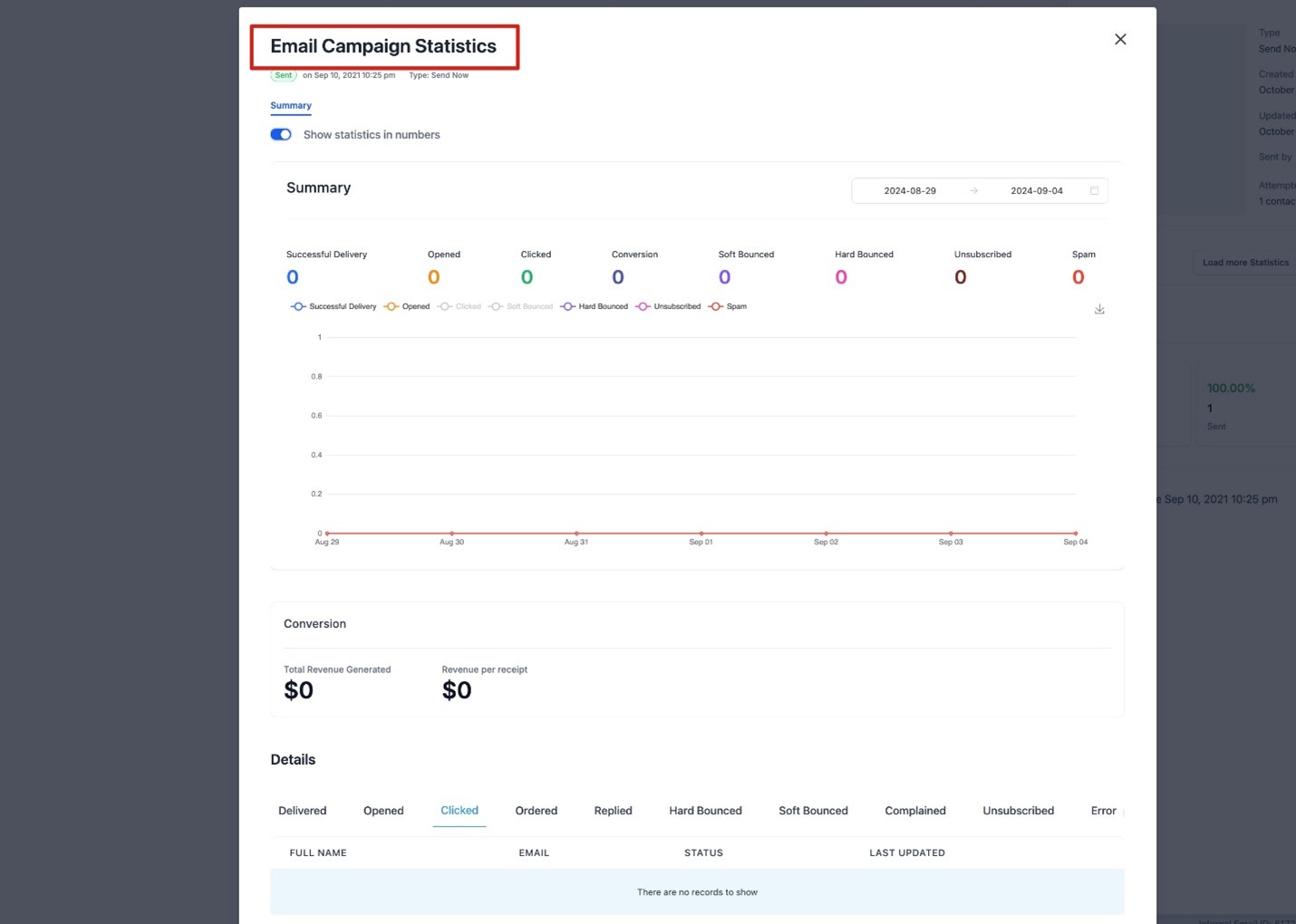
Het klikprestatierapport bevat alle individuele links en overzichtsdetails.
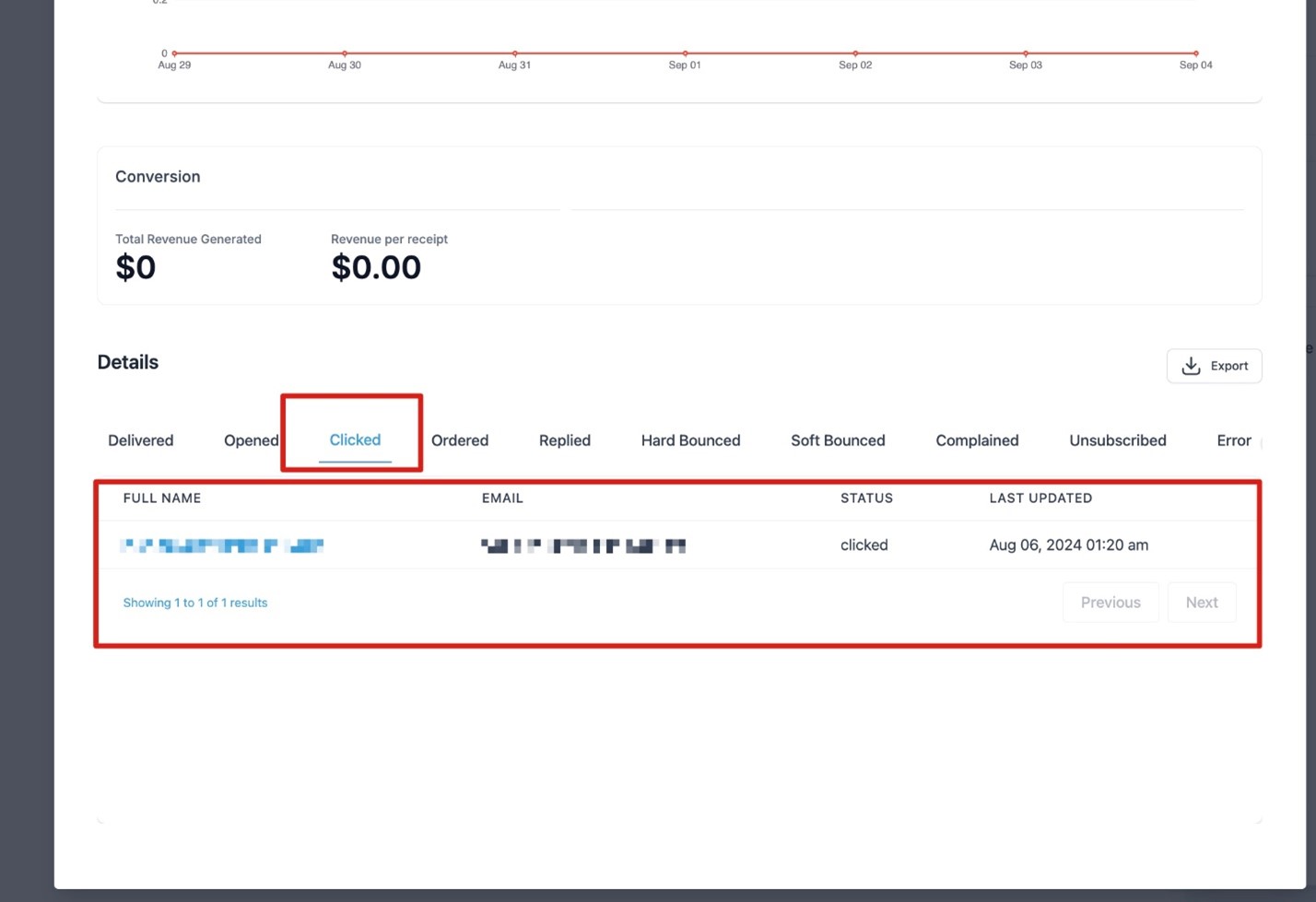
Klik op individuele links om contact-specifieke klikdetails te bekijken.
Veelgestelde vragen (FAQ)
Werkt het voor alle campagnes?
Nee, kliktracking werkt niet voor RSS- en A/B-testcampagnes op dit moment, we werken eraan.Werken aangepaste waarden of triggerlinks?
Aangepaste waarden worden ondersteund met kliktracking. Triggerlinks worden echter nog niet ondersteund.Worden campagnes uitgevoerd via workflows weergegeven in deze statistieken?
Nee, kliktracking ondersteunt geen geautomatiseerde campagnes uitgevoerd via workflows. Op dit moment werkt deze functie alleen voor standaard e-mailmarketingcampagnes.Werkt het voor alle campagnes?
Nee, de huidige implementatie toont geen resultaten in het tabblad Klikprestaties voor e-mails die vóór 13 juni 2024 zijn verzonden of voor campagnes waarbij je de optie om te tracken niet hebt ingeschakeld.
Guide to click tracking in email campaigns
This guide explains the basics of click tracking and how to use it.
What is Click Tracking?
Click tracking is a feature that provides insights into how recipients interact with the links in your emails. By enabling click tracking, you can:
See which specific links in your emails are being clicked.
Identify which recipients are engaging with your content.
Determine how many times each link is clicked.
Default Behaviour
By default, click tracking is disabled in our system. If you wish to utilize click tracking for your email campaigns, you can enable it manually for each campaign.
Why Do We Need Click Tracking?
Understand Subscriber Engagement: Click tracking helps you understand how your subscribers are engaging with your content. By knowing which links are being clicked, you can gauge interest levels and tailor your content accordingly.
Analyse Link Performance: Click tracking allows you to analyze which links are most popular among your subscribers. This can help you optimize your email layout and content strategy to focus on the most engaging elements.
Where Click Tracking Does Not Work?
Click tracking functionality may not operate under certain conditions. Here are scenarios where click tracking does not function as expected:
Disabled Click Performance: If click performance tracking is not enabled during the email send or scheduling process, click tracking data will not be collected.
Test Emails: Click tracking does not apply to test emails. For accurate testing of click tracking functionality, it is recommended to send a dummy campaign to selected contacts.
Trigger Links: Click tracking is not supported for trigger links in the current version. Trigger links already use redirection and tracking under a centralized system.
Non-HTTP/HTTPS URLs: Click tracking only functions for URLs that begin with http:// or https://. Links without these prefixes, such as direct links or those saved in custom values, cannot be tracked.
Unsupported Links: Click tracking does not cover clicks on email addresses (mailto:) or anchor links. Ensure all links in your campaign use absolute paths to enable tracking.
System-Generated Links: Links such as preview links, unsubscribe links, or affiliate links generated by the system will not be tracked.
Syntax Errors or Typos: Links with syntax errors or typos may result in broken links, preventing accurate click tracking. It is advisable to verify all URLs for correctness to ensure effective tracking.
Magic Links: For some use cases where the link has the custom values or fields, the link might not work. It is ideal to test it by sending some dummy email campaigns.
How to use it?
Navigate to the Email Marketing section.
Create a new campaign and click on Send or Schedule.
Enable click tracking before sending.
After sending, access Campaign Statistics by clicking the three dots next to your campaign.
Click on Click Performance to analyze link performance.
The click performance report contains all individual links and overview details.
Click on individual links to view contact-specific click details.
FAQs
Does it work for all campaigns?
No, click tracking does not work for RSS and A/B testing campaigns as of now, we are working on it.Would custom value or trigger links work?
Custom values are supported with click tracking. However, trigger links are not supported yet.Would campaigns executed through workflows show these metrics?
No, click tracking does not support automated campaigns executed through workflows. As of now, this feature is working only for standard email marketing campaigns.Would it work for all campaigns?
No, the current implementation will not show any results in the Click Performance tab for emails sent before 13th June, 2024 or for email campaigns where you have not enabled the option to track.