Aan de slag - Nieuw Contact Aanmaken
Voeg moeiteloos je eerste contact toe en begin meteen met het opbouwen van waardevolle betrokkenheid.
INHOUDSOPGAVE
Nieuw Contact Aanmaken
Bestaand Contact Bewerken
Nieuwe Aangepaste Velden Aanmaken
Nieuw Contact Aanmaken
Laten we direct beginnen met het toevoegen van je allereerste contact. Het opbouwen van je netwerk start met deze eenvoudige stap:
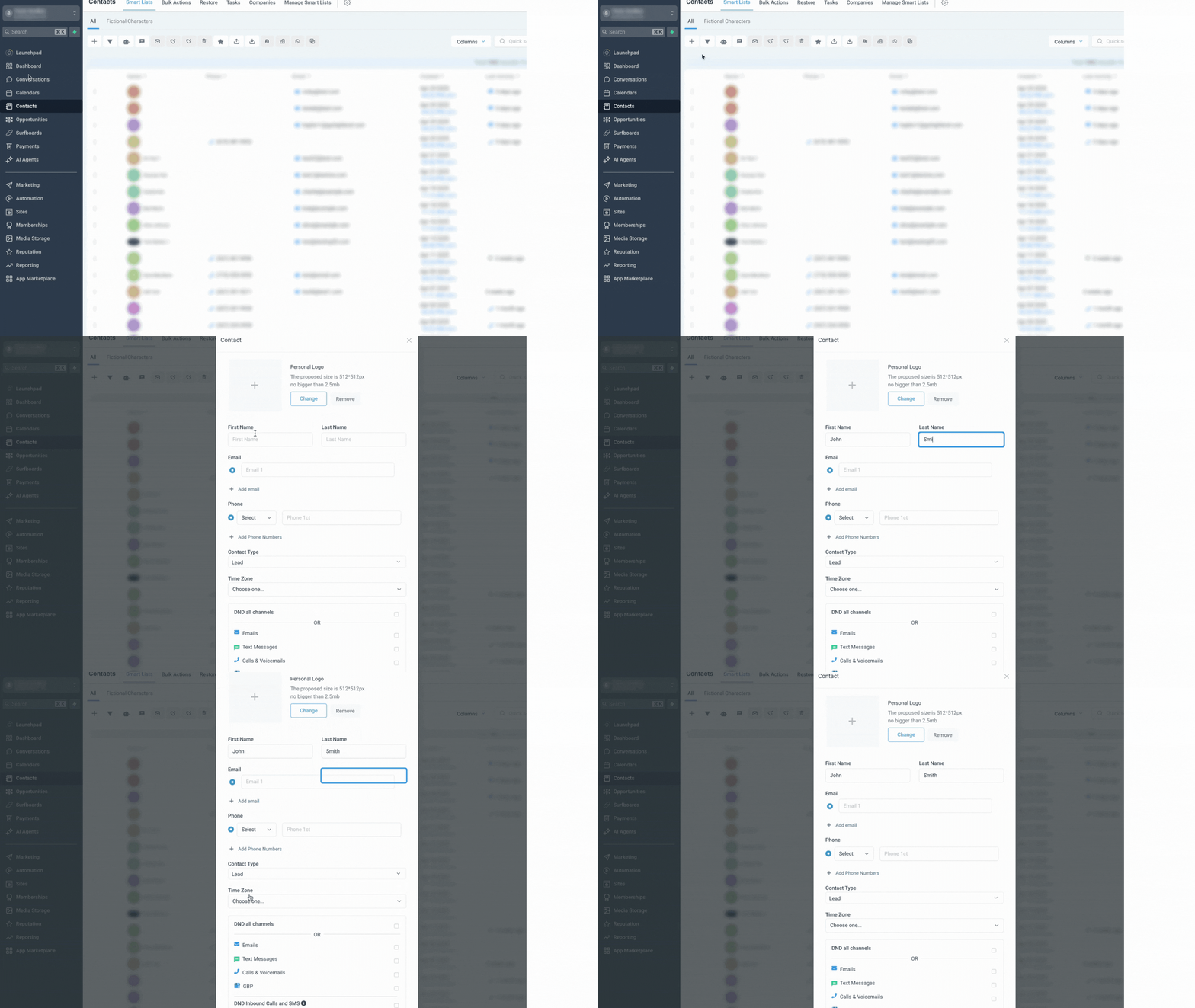
Ga naar Contacten in het hoofdmenu.
Klik op de knop Contact toevoegen.
Voer de contactgegevens in (naam, e-mail, telefoon, enz.). Onthoud: hoe meer informatie je toevoegt, hoe makkelijker het wordt om je communicatie te personaliseren. Zie je het veld dat je nodig hebt niet? Gebruik dan de checklist Nieuw Aangepast Veld Aanmaken.
Klik op Opslaan.
Bestaand Contact Bewerken
Houd je contactinformatie actueel en correct. Het bewerken van contacten is snel en eenvoudig, zodat je gegevens altijd up-to-date blijven:
Ga naar Contacten.
Klik op een contactregel om de contactkaart te openen die je wilt bewerken.

Breng de nodige wijzigingen aan aan de linkerkant. Zie je het veld dat je nodig hebt niet? Gebruik dan de checklist Nieuw Aangepast Veld Aanmaken. Klik op Opslaan om je wijzigingen op te slaan.

Nieuwe Aangepaste Velden Aanmaken
Aangepaste velden stellen je in staat om je contactendatabase aan te passen aan de specifieke behoeften van jouw bedrijf. Houd eenvoudig de gegevens bij die voor jou en je team het belangrijkst zijn:
Ga naar Instellingen > Aangepaste Velden.
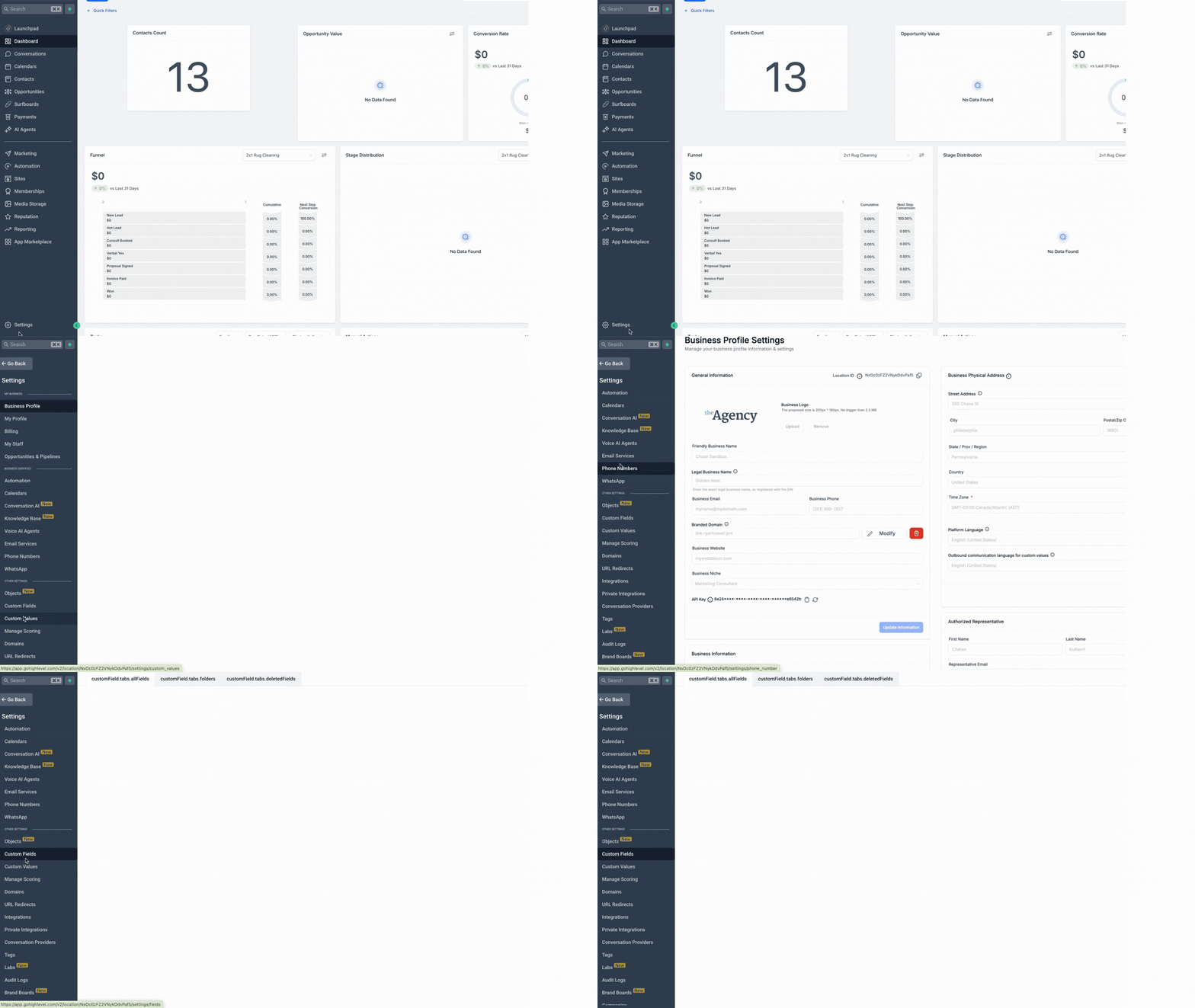
Klik op Veld toevoegen.

Kies het type veld dat je wilt maken (bijv. tekst, dropdown, datum).

Vul de veldgegevens in (naam, groep, placeholder, enz.). Dit zorgt ervoor dat je team precies weet welke informatie nodig is. Klik op Opslaan.

Getting Started - Create New Contact
Add your first contact effortlessly and begin building meaningful engagement right away.
TABLE OF CONTENTS
Create New Contact
Edit Existing Contact
Create New Custom Fields
Create New Contact
Let's dive right in by adding your very first contact. Establishing your network starts with this simple step:
Navigate to Contacts in the main menu.
Click the Add Contact button.
Enter the contact details (name, email, phone, etc.). Remember, the more information you provide, the easier it will be to personalize your engagements. If you don't see the contact field you need to add information to, use the Create New Custom Field checklist.
Click Save.
Edit Existing Contact
Keep your contact information current and accurate. Editing contacts is quick and straightforward, ensuring your data stays up-to-date:
Navigate to Contacts.
Click on a contact row to open the contact card you wish to edit.
Make the necessary updates on the left-hand side. If you don't see the contact field you need to add information to, use the Create New Custom Field checklist. Click Save to apply your changes.
Create New Custom Fields
Custom fields allow you to tailor your contact database to fit your specific business requirements. Easily track the data that's most important to you and your team:
Navigate to Settings > Custom Fields.
Click Add Field.
Choose the type of field you want to create (e.g., text, dropdown, date).
Complete the field details (name, group, placeholder, etc.). This helps ensure your team understands exactly what information is needed. Click Save.